
Slack
Use a shared channel for marketing requests, status updates, approvals, files and finished work summaries.
Wilmot AI receives marketing tasks through Slack, WhatsApp or Telegram, connects to the tools you approve, confirms the scope in plain English and delivers real work with progress logs, evidence and clear approvals.

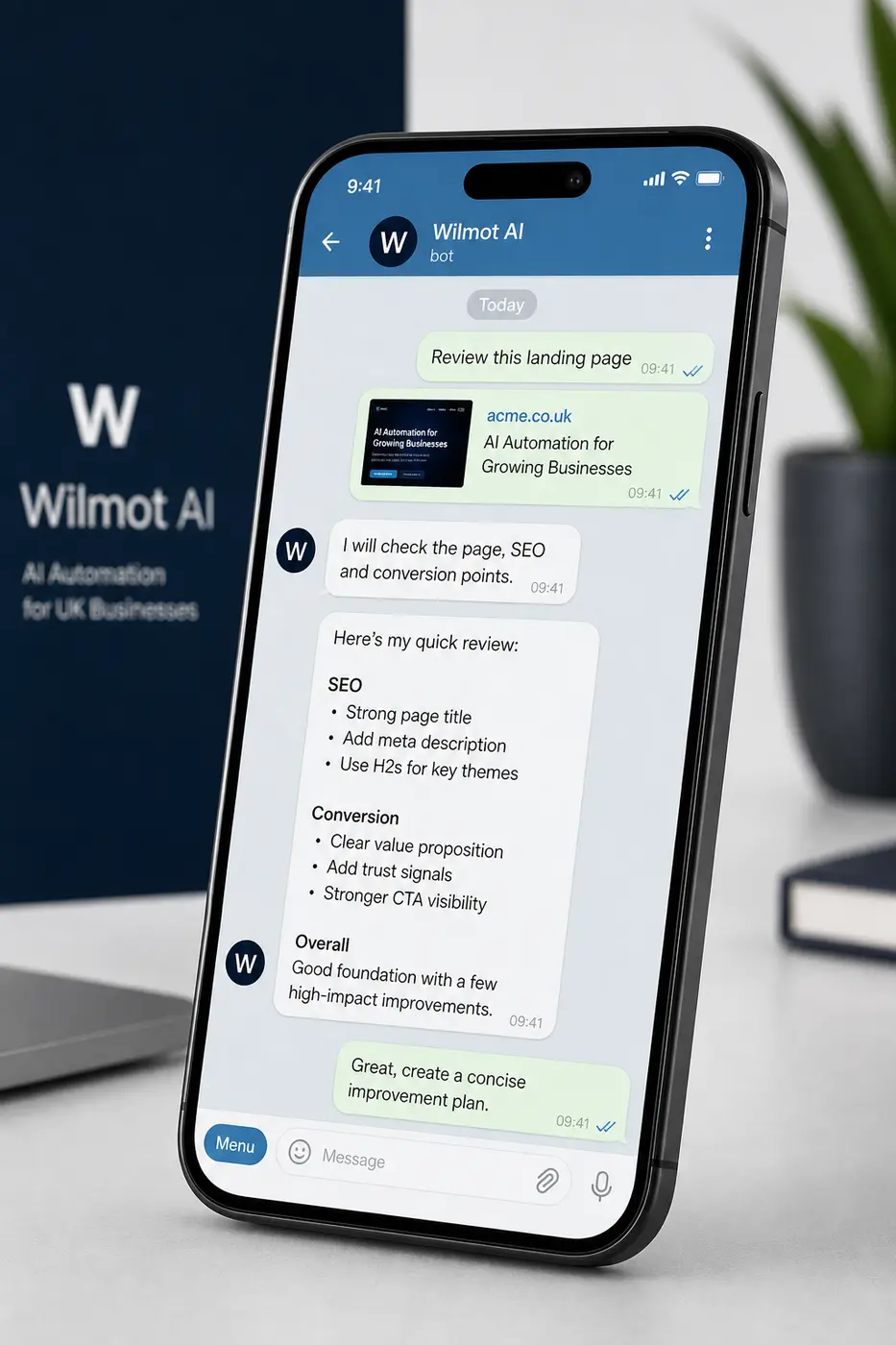

Wilmot starts where your team already communicates, so tasks, approvals, work logs and evidence do not disappear into a separate project system.
Use a shared channel for marketing requests, status updates, approvals, files and finished work summaries.
Send quick tasks, links, screenshots and approval decisions from a familiar business messaging flow.
Keep fast task capture and progress updates available for teams that prefer Telegram workflows.
Wilmot works best when it can inspect the real accounts, pages and measurement setup. Access is scoped to the work agreed, and sensitive permissions are handled deliberately.
Review search terms, spend, campaign settings, ad copy, conversion quality and account structure.
Check queries, pages, indexation issues, click-through opportunities and technical SEO signals.
Prepare and implement approved content, page, CTA, landing page and layout improvements.
Review traffic behaviour, conversion paths, campaign performance and reporting gaps.
You do not need to write a technical brief. Wilmot turns normal business requests into scoped marketing work, then asks for missing details when needed.
For example, ask why leads dropped, which pages are underperforming, or where ad spend is being wasted.
Request a landing page rewrite, SEO page update, stronger CTA, campaign review or conversion report.
Wilmot can return screenshots, links, findings, search terms, report extracts and a practical next-action list.
Every meaningful task gets a clear scope before work begins. Wilmot separates safe investigation from changes that need an explicit yes.
What Wilmot will review, update, prepare or report back on.
No sensitive changes to budgets, tracking, access, publishing or major website structure without explicit approval.
The work will return with findings, links, screenshots, change notes or a clear recommendation.
Wilmot reports what it is doing as it works, so you can see the job moving and intervene before anything sensitive is changed.
Plain-English notes show what was checked, which accounts or pages were reviewed and what evidence was found.
Longer tasks are broken into visible steps, with practical updates instead of silent background work.
When a finding leads to a sensitive action, Wilmot pauses and asks for approval rather than pushing ahead.
Updates stay in the same chat channel, making it easier to track what was requested, approved and completed.
Wilmot gives you the finding, the recommended action and the expected impact. You approve the actions that touch sensitive business settings or published assets.
Changes to Google Ads spend, bidding or campaign settings need explicit approval.
Changes to goals, tags, conversion imports or measurement setup are explained before implementation.
Content and page changes can be drafted, reviewed and approved before they go live.
Account permissions, site structure and major navigation changes are treated as approval-only work.
Finished work is not just marked done. Wilmot shows what changed, where it changed, what improved and what still needs attention.
A concise record of edits, checks, recommendations or implemented actions.
Links, screenshots, reports, account notes or before-and-after evidence are included where useful.
Every completed task can feed the next sensible improvement instead of becoming a disconnected report.
Wilmot turns marketing into a steady operating rhythm: inspect, prioritise, approve, implement, evidence and improve again next month.
Common questions on chat channels, tool access, approvals and how completed work is evidenced.
Yes. Wilmot can receive tasks and return updates through Slack, WhatsApp or Telegram, depending on the channel you choose to connect.
No. Access should match the work agreed. Google Ads, Search Console, WordPress and GA4 are common connections, but permissions can be scoped carefully.
No. Wilmot never makes sensitive changes without explicit approval, including changes to budgets, tracking, publishing, account permissions or major website structure.
You receive clear evidence such as work logs, links, screenshots, report extracts, change summaries, findings and recommended next actions.
Send your website and the channels you care about. Wilmot AI will review the evidence and return a practical first action list.
No obligation. The audit checks your website, Google Ads, SEO foundations, tracking and next opportunities.
Use pricing and contact if you want to check scope, commitment or the best module before starting.